PlumbingFictional family-run plumbing company · Ohio, United States · by Dhruv Mohapatra
Making the emergency line impossible to miss
A family-run plumber with a strong local reputation and a homepage that makes urgent callers scroll, pinch and guess.
Mock case study. The business is fictional, and its “before” website was built by Loomino to show problems common on local trade websites. Names, logos and phone numbers are placeholders. No real client or results are involved: this shows design judgement, not a client outcome.
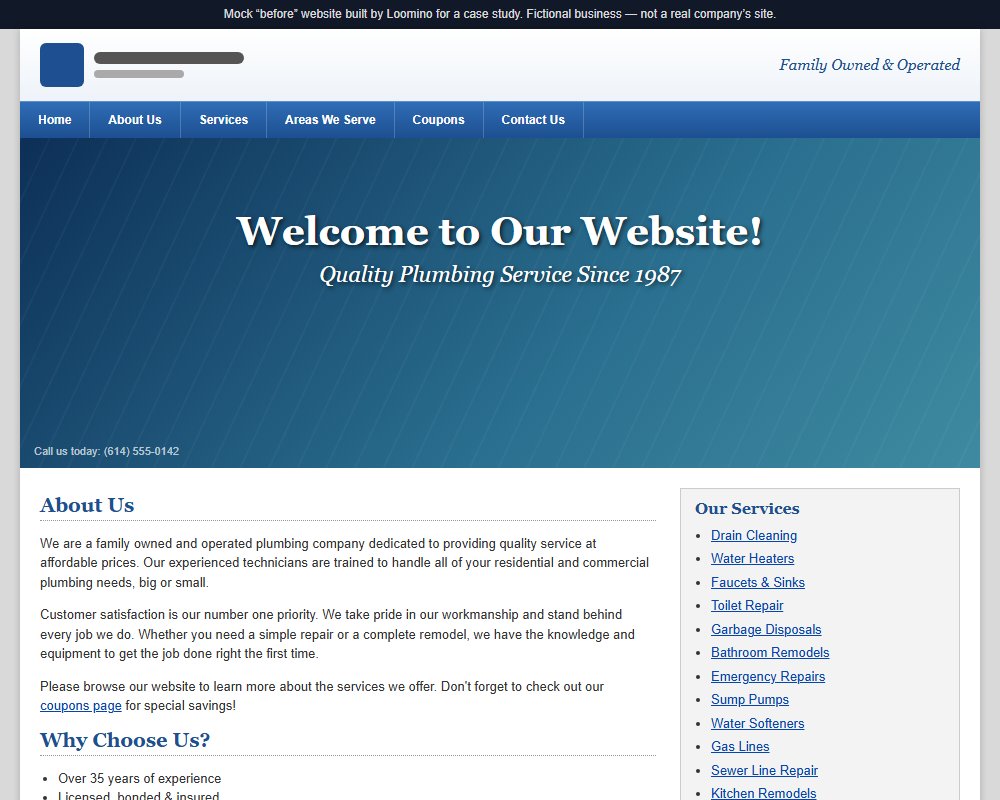
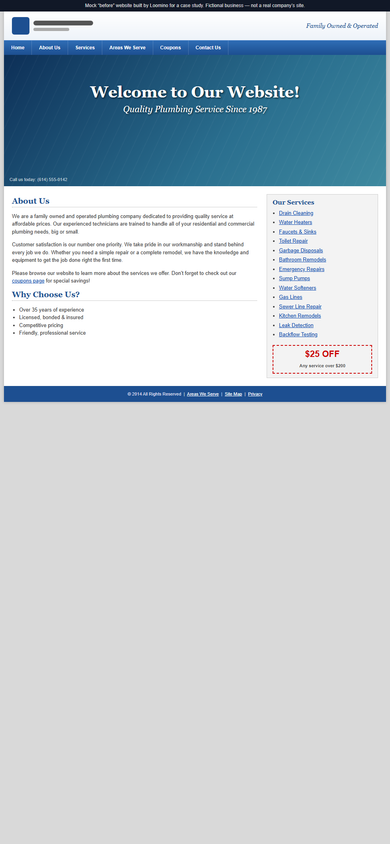
01 · The “before” website
Where it started
02 · What gets in the way
Three problems
- 1
Emergency contact is buried
The phone number sits in small type at the bottom of the header image and is not tappable on mobile. Someone with a burst pipe has to find it, memorise it and dial it by hand.
- 2
The service area is never stated
Towns served appear only on a separate “Areas We Serve” page. Visitors from the edge of the region cannot tell from the homepage whether the company will come out to them.
- 3
Every service is given equal weight
Drain cleaning, water heaters, remodels and emergency repairs share one undifferentiated list, so the urgent job and the planned job compete for the same attention.
03 · The redesign
Redesigned hero, desktop and mobile
The redesign puts click-to-call, 24/7 availability and the service area in the first screen on every device.
04 · Design decisions
Why it looks the way it does
Two clear paths in the first screen
Urgent visitors get a large click-to-call button and a clear statement that the line is answered 24/7. Planned-work visitors get a short quote form. Neither has to scroll to act.
A persistent call bar on mobile
A slim bar fixed to the bottom of the screen keeps the number one thumb-tap away while reading about services, without covering content.
Service area stated in plain words
The main towns served are listed directly under the headline, followed by a line inviting anyone unsure to call and ask.
Urgent and planned work separated
Services are grouped into “Needs fixing today” and “Planned work”, which mirrors how customers actually arrive.
05 · Page architecture
Proposed site structure
Home
Route urgent and planned enquiries
- Call bar and hours
- Hero with call + quote form
- Emergency services
- Planned work
- Service area
- Reviews from Google Business Profile
- Licence and insurance
Emergency plumbing
Rank for and convert urgent searches
- What counts as an emergency
- Call-out process
- After-hours pricing explained
Services
Explain planned work
- Water heaters
- Drains
- Bathroom and kitchen plumbing
Service area
Local search relevance
- Towns served
- Map
- Response times by area
Contact
Every contact method in one place
- Quote form
- Phone and hours
- Business details
06 · Measured results
Performance and accessibility
Lighthouse scores for the concept implementation, not the original site.
mobile
- Performance
- 100
- Accessibility
- 100
- Best practices
- 100
- SEO
- 63
SEO: The only failed SEO check is the noindex tag, set deliberately so concept pages are never mistaken for a real business in search results.
Lighthouse 12.8.2, production build served by Cloudflare Pages dev server, mobile emulation with simulated throttling · 15 September 2026
desktop
- Performance
- 100
- Accessibility
- 100
- Best practices
- 100
- SEO
- 63
SEO: The only failed SEO check is the noindex tag, set deliberately so concept pages are never mistaken for a real business in search results.
Lighthouse 12.8.2, production build served by Cloudflare Pages dev server, desktop preset · 15 September 2026
Want this kind of thinking applied to your site?
Request a free homepage concept. It’s sent privately, and there’s no obligation.